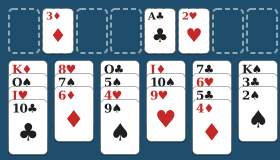
Browser games are games you play directly in your web browser: you open a page and the game is ready, with nothing to download or install. They are one of the easiest ways to enjoy a free game on a phone, tablet or computer, and the best ones are every bit as good as an app. In this guide we explain how browser games work, why they are a sensible and safe choice, and what to look for in a good gaming website so you can tell the pleasant ones from the pushy ones.
What exactly is a browser game?
A browser game is simply a game built with the same technologies as any other website. When you visit the page, your browser fetches the words, pictures and a small amount of program code, then runs the game inside the tab you are looking at.
You will sometimes see them called web games, online browser games or internet games. They all mean much the same thing. The key point is that the browser you already have, whether that is Safari on an iPhone, Chrome on Android, or Edge, Chrome or Firefox on a computer, is all you need.
How they differ from apps
An app is a separate program you install from an app store. It takes up space on your device, asks for permissions and needs updating from time to time. A browser game is different:
- There is no installation. Open the page and play.
- There is nothing to update. The website always gives you the latest version.
- There is nothing to remove. Close the tab and it is gone.
- One game works everywhere. The same web address works on your laptop, your tablet and your phone.
Apps still have their place, particularly for big, complicated games. But for card games, board games, puzzles and classic arcade games, a browser is usually all you need.
A short history of web games
Games have been part of the web almost from the beginning. In the early days many online games relied on browser plug-ins, such as Adobe Flash, which had to be installed separately and were a frequent source of security worries. Flash was retired at the end of 2020, and browsers stopped supporting it.
Today’s browser games are built with standard web technologies, mainly HTML, CSS and JavaScript, that every modern browser understands without any extras. That change made web games faster, safer and much better suited to phones and tablets.
Why browser games are a good choice
They are quick
There is no waiting for a download or hunting through an app store. If you have five minutes before the kettle boils, you can be playing Snake or a hand of Klondike Solitaire within seconds.
They save space
Phones fill up quickly with photos and messages. Browser games take up no permanent space beyond a little stored data for your saved progress and settings.
They are generally safe
Web browsers are designed to keep each website in its own separate compartment. A game page cannot normally read your photos, contacts or files. That is a big part of why browser games are a comfortable choice for people who are cautious about installing things.
That said, the website itself still matters. A badly run site can show misleading adverts or try to trick you into downloading something. The next section covers what to look for.
They are easy to share
Because every web game has its own address, you can send a link to a friend or grandchild and they can start playing straight away, on whatever device they have.
What to look for in a good gaming website
There are a great many online gaming websites, and the quality varies hugely. Here is a simple checklist to help you find the good ones.
1. You can play without an account
A good free game should not need your email address. If a site insists on a sign-up before you can play a simple game of cards, ask yourself why it wants your details. On GamesBento you can play every game without an account, and the optional leaderboard only asks for a display name you make up yourself.
2. Nothing asks you to download or install
A browser game runs in the browser. If a page says you must download a file, install a “player”, or add a browser extension to continue, close it. That is a common trick for spreading unwanted software.
3. No pop-ups or fake buttons
Be cautious of sites that open new windows, show flashing “You have won!” messages or have several large “Play” buttons that turn out to be adverts. A trustworthy site keeps the game clear and the controls obvious. Many good sites do carry some advertising to pay their costs, which is reasonable, but it should never cover the game or pretend to be part of it.
4. A clear privacy page
Look for a link, usually at the bottom of the page, to a privacy policy written in plain language. It should tell you what is stored, where and why. Our own privacy page explains that saved games are kept in your browser on your device, not on our servers.
5. It is easy to see and use
Small, fiddly cards and tiny text spoil a game. The best web games use large pieces, good contrast and buttons big enough for a fingertip. A light and dark theme is a welcome bonus, especially for evening play.
6. It is free in a fair way
“Free” should mean free. Be wary of games that run out of lives, hold back levels, or nudge you to spend money to keep going. A fair free game lets you play the whole thing.
7. It explains the rules
A good gaming website helps you learn. Each game on GamesBento has a How to play guide, and you can find them all on the guides page.
The best browser games to try
Here are the kinds of fun browser games that work especially well in a web page, with an example of each.
Card games
Card games were made for screens: they are clear, turn-based and easy to pause. Try FreeCell if you like a puzzle where nearly every deal can be won with careful thought, or Hearts for a game against computer players.
Board games and dominoes
Classic board games translate beautifully to the browser because the computer takes care of setting up, shuffling and scoring. Mexican Train and Checkers are good places to start. For something a little different, Morabaraba is a strategy game from Southern Africa where you make lines of three.
Logic puzzles
Puzzles such as Sudoku, Nonograms and Minesweeper are ideal for a browser, because they need no speed, just thought. Many have a new puzzle each day, which gives you a reason to come back.
Gentle arcade games
Arcade games can be fun in a browser too, provided they offer a slower speed and a pause button. Tile Merge is calm and thoughtful, while Brick Breaker and Block Drop offer a bit more action.
Word games
Word games such as Word Scramble, Word Search and Hangman are another excellent fit. Our article on free word games online covers them in detail.
You can browse every game we have on the all games page.
How saving works in browser games
If there is no account, how does a browser game remember your progress? Most use a small storage area that the browser keeps for each website. Your saved games sit in your browser, on your device.
This is private and convenient, but it helps to know its limits:
- Saves are tied to one browser on one device.
- Clearing your browsing data removes them.
- Private or incognito windows forget everything when closed.
Some browser games can also keep working without an internet connection once you have opened them, and can be added to your home screen so they open like an app. Our guide to games you can play without internet explains how, and the games without internet page lists every game that works offline.
Simple safety tips for playing online
To finish, here are a few sensible habits that apply to any gaming website:
- Keep your browser up to date. Updates include security fixes.
- Never type passwords or bank details into a game. A free game has no need for them.
- Ignore anything that says your device is infected. Real warnings do not appear in adverts on game sites.
- Do not download files to play a browser game. By definition, you should not need to.
- Use a display name, not your real name, on any public leaderboard.
Follow those, and browser games are one of the simplest, most relaxing ways to play free online games. Pick a game, open the page and enjoy it.