Games without internet
Every game on GamesBento can be played without internet. Open a game once while you are online and your browser keeps a copy of it on your device. After that it loads and plays with no connection at all: on a train, on a plane, at a caravan with no signal, or when you just want to save your mobile data.
There is no app to download and nothing to sign up for. The computer players and the puzzles run on your own phone, tablet or computer, and your games save there as you play, so losing the signal halfway through a hand of patience does not matter.
Two things do need the internet: opening a game for the very first time on a device, and the weekly leaderboards. Below are all 35 games, sorted by type, with simple steps to get them ready before you set off. For more ideas, including offline games for the table, read our guide to games to play without internet.
Dominoes & board games
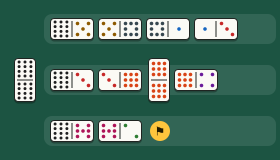
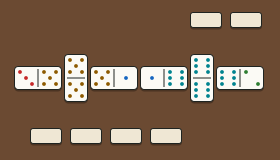
The computer players run on your own device, so a game of dominoes or checkers carries on happily with no signal.

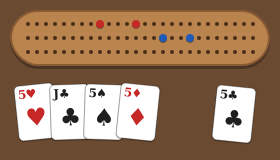
Card games
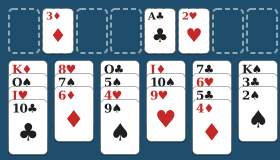
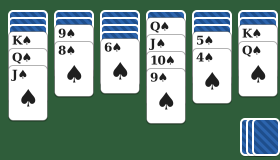
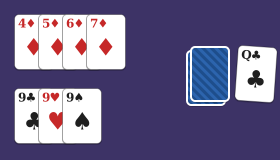
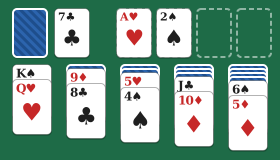
Solitaire and card games against the computer are ideal for a journey: open them before you leave and deal as many hands as you like.


Logic puzzles
Puzzles made on your device, so you can keep solving with no connection. Your progress is saved as you go.
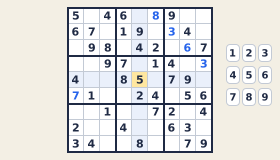 SudokuFill the grid with 1 to 9.
 NonogramsUse the number clues to reveal a picture.
 MinesweeperClear the field using the numbers.
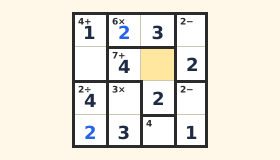 CalcudokuSudoku with sums in each cage.
 Binary PuzzleFill with 0s and 1s by three simple rules.
 Code BreakerFind the hidden colour code.
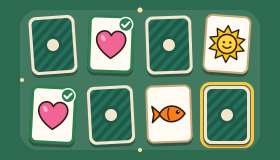 Memory MatchTurn over the cards two at a time and find every matching pair.
Word games
Word puzzles that keep working offline once you have opened them. The leaderboard waits until you are back online.
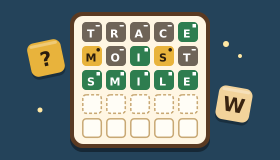 Word GuessGuess the hidden five-letter word in six tries.
 Word SearchFind the hidden words in the letter grid.
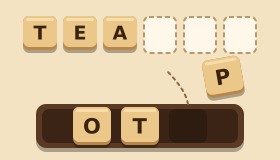 Word ScrambleUnscramble the letters to find the hidden word.
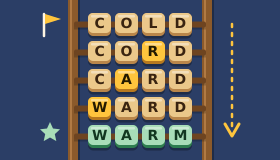 Word LadderChange one letter at a time to reach the goal word.
 Word WheelMake words from nine letters, always using the centre one.
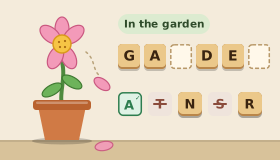 HangmanGuess the word letter by letter before the flower loses its petals.
Arcade
Quick action games for a few spare minutes, with nothing to load once they are saved on your device.


African games & puzzles
Mancala, morris and strategy games played against a computer player that lives on your device, not on a server.
 OwareSow seeds around the board and capture to win. Also played as Ayo and Awalé.
 BaoFour rows of pits; the great strategy game of East Africa.
 MorabarabaLine up three cows to capture, from Southern Africa.
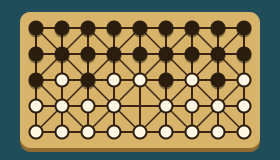 FanoronaCapture by approach and withdrawal, from Madagascar.
 DaraMake rows of three in the sand, from West Africa.
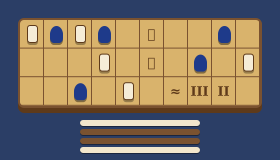 SenetRace across the board, from ancient Egypt.
 LusonaPlace mirrors to make one unbroken line, inspired by Angolan sand drawings.
How to get games ready for offline play
- While you have internet, open each game you would like to play later. Wait until it has loaded and you can see the board or cards.
- Add GamesBento to your home screen (optional, but handy). On an iPhone or iPad in Safari, tap the Share button, then Add to Home Screen. On Android in Chrome, open the menu (three dots) and choose Add to Home screen or Install app. On a computer, Chrome and Edge show an install icon in the address bar.
- When you are offline, open GamesBento from your home screen or browser and choose one of the games you opened earlier.
- Back online later? Nothing to do. Each game refreshes its saved copy the next time you open it online, and the leaderboards work again.
If you open a page that is not saved yet while offline, you will see a short page listing the games that are ready on your device.
To add GamesBento to your iPhone or iPad: tap the Share button (the square with an arrow), then Add to Home Screen.
It opens like an app, and games you have played keep working without internet.
Questions people ask
Can I really play these games with no internet?
Yes, once you have opened a game while you were online. Your browser keeps a copy of each game you open, and from then on it works without internet on that device.
Do I need to download an app?
No. There is nothing to download from an app store. GamesBento works in your web browser, and you can add it to your home screen so it opens like an app.
What does not work offline?
Games you have never opened on that device, and the weekly leaderboards, which need the internet to send and show scores. Everything else in a game you have opened carries on as normal.
Will my saved games still be there?
Yes. Your games and settings are saved on your own device, not on a server, so they are there whether you are online or not.
Does it work on an iPhone, iPad or Android phone?
Yes, in an up-to-date browser such as Safari, Chrome or Edge. Open the games you want while you are online, and they will be ready for when the signal drops.
Further reading
 Games You Can Play Without Internet (Free, on Phone or Computer)Free games you can play with no internet: how to keep GamesBento games working offline on your phone or computer, plus classic offline games for the table.
 Browser Games: Play Free Games Instantly Without DownloadingWhat browser games are, why they are a safe and easy way to play, and what to look for in a good gaming website: no pop-ups, no account, clear privacy.
 The Best Free Online Games for Adults (No Download, No Sign-Up)A friendly guide to the best free online games for grown-ups: card games, dominoes, puzzles and gentle arcade classics you can play now, with no sign-up.
More to explore
Looking for something to take your time over on a long journey? Try our relaxing games or the brain games. Or see the games for seniors page for the easiest games to start with.