Looking for a game you can play with no internet? Whether you are on a train going through tunnels, staying somewhere with patchy Wi-Fi, or simply want to save mobile data, there are good free options. In this guide we explain how to keep GamesBento games working offline on your phone, tablet or computer, step by step, and then suggest some classic offline games that need no screen at all.
Why offline games are so handy
A dropped connection always seems to happen at the worst moment. Some of the times people most want a quiet game are exactly when the internet is least reliable:
- On a train, coach or plane.
- In a hospital waiting room or on a ward.
- At a holiday cottage or caravan with weak signal.
- Visiting family who do not have Wi-Fi.
- When you are trying to keep within a small mobile data allowance.
Many online games stop dead the moment the signal goes. A game that keeps working offline means you can carry on without a second thought.
How GamesBento games work offline
GamesBento games run in your web browser. When you open a game page while you are online, your browser keeps a copy of what that game needs on your device. The next time you open it, even with no connection at all, the game can load from that copy.
The important thing to remember is simple:
Games you have opened before will work offline. Games you have never opened need the internet the first time.
So the trick is to open the games you like while you have a connection, before you set off.
What works offline
- Games you have already opened on that device and browser.
- Your saved games and settings, because they are stored on your device in any case.
- Playing against the computer, since the computer players run on your device too.
What still needs a connection
- Games you have not opened before on that device.
- The weekly leaderboard, which needs to send and fetch scores.
- Any page you have not visited, such as a guide you have not read yet.
Step by step: getting ready to play offline
Step 1: Open your favourite games while you are online
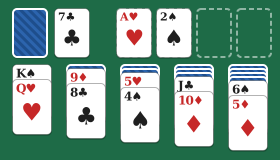
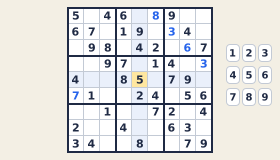
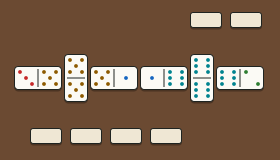
Before your journey, with Wi-Fi or a good signal, open each game you think you might want. Let it load fully and play a move or two. For example, you might open Klondike Solitaire, Sudoku and Mexican Train.
It is a good idea to open the How to play guides you might want as well, such as the Sudoku guide, so you can read them on the way.
Step 2: Add GamesBento to your home screen (optional)
You do not have to do this, but it makes things easier. Adding the site to your home screen gives you an icon that opens straight to the games, just like an app, without hunting for a bookmark.
On an iPhone or iPad
- Open the game in Safari.
- Tap the Share button. It looks like a square with an arrow pointing up, usually at the bottom of the screen on an iPhone or at the top on an iPad.
- Scroll down the list and tap Add to Home Screen.
- Change the name if you like, then tap Add.
One thing to know: on iPhones and iPads, a site opened from its home screen icon may keep its own separate saved games from the ones in Safari. If you start a game from the icon, carry on from the icon.
On an Android phone or tablet
- Open the game in Chrome.
- Tap the three-dot menu in the top corner.
- Tap Add to Home screen or Install app, depending on what your phone shows.
- Confirm by tapping Add or Install.
Other Android browsers have similar options, usually in their main menu. The wording varies a little between phones and browser versions.
On a computer
On a laptop or desktop you can simply bookmark the games you like. Some browsers, such as Chrome and Edge, also offer an “Install” option in the address bar or menu, which gives you a separate window and an icon. Either way, games you have opened before will still work when the connection drops.
Step 3: Test it before you go
If you want to be sure, switch on Airplane mode (or Flight mode) and open one of your games. If it loads, you are ready. Switch Airplane mode off again afterwards.
Tips for playing offline
- Do not clear your browsing data before a trip. That removes the stored games and your saved progress.
- Use a normal browser window, not a private or incognito one, because private windows forget everything when closed.
- Charge your device. Games use a little battery, and there may be nowhere to plug in.
- Turn the brightness down a touch to make the battery last longer. Our dark theme is gentle on the eyes in the evening, too.
- Choose games that suit the journey. Turn-based games such as FreeCell, Nonograms or Word Scramble are easy to put down when it is your stop.
Good games to play on a journey
Here are some suggestions that work particularly well when you are offline and on the move. Each one makes a good no-internet game once it is saved on your device:
- Klondike Solitaire for a familiar, relaxing game you can pick up and put down.
- Sudoku for a puzzle that might fill a whole journey.
- Dominoes against friendly computer players, for something a little more social.
- Cribbage if you enjoy counting and a bit of strategy.
- Oware for a thoughtful two-player game against the computer.
- Tile Merge for a calm, satisfying number puzzle.
Our page of games without internet lists every game by type, so you can open the ones you want before you leave. If you would like something unhurried for a long trip, our relaxing games are a good place to look.
Classic games you can play with no screen at all
Sometimes the best offline game is one that needs no device whatsoever. Here are some old favourites that are easy to pack.
A pack of cards
A single pack of cards gives you dozens of games. On your own you can play Patience, which is what Klondike Solitaire is based on. With one other person, try Cribbage or Gin Rummy. With four, Hearts and Spades are good fun. If you are rusty on the rules, our guides to Gin Rummy and Hearts are a handy refresher before you go.
Dominoes
A box of dominoes travels well and suits all ages. The Dominoes guide covers the classic draw and block games, and the Mexican Train guide explains the sociable version that is popular at family gatherings, if you have a larger set.
Pencil and paper games
All you need is a pencil and a scrap of paper:
- Hangman. One person thinks of a word and the other guesses letters. Our guide on how to play Hangman has tips and some gentler variations.
- Noughts and crosses. Quick, simple and good for younger players.
- Dots and boxes. Take turns joining dots, and claim a box when you complete one.
- Word chains. Each player says a word that starts with the last letter of the previous word.
- Twenty questions. One person thinks of something, and the others have twenty yes-or-no questions to guess it.
Puzzle books
Printed Sudoku, crossword and word search books are cheap, light and need no battery. Many newspapers include a daily puzzle too.
Mancala with pebbles
Mancala games such as Oware were traditionally played with seeds or pebbles in holes scooped in the ground. If you are on a beach or in a garden, you can make your own board with two rows of six small hollows and a handful of pebbles. The Oware guide explains the rules.
In short
To play GamesBento games without internet, open the games you want while you are online, optionally add the site to your home screen, and they will be there for you when the signal disappears. And for a complete break from screens, a pack of cards, a box of dominoes or a pencil and paper are as good as they ever were.